
The Prodigy Wildfire App / Property control
The property
in your hand.
Wildfire intelligence for everyone. Connected system control for Prodigy owners. One interface between the wider environment and the physical protection installed at the property.



01 / Live property
One interface.
A changing world around it.
Select a layer. The phone changes, and the surrounding property reveals the physical or intelligence system behind that screen.
System ready
See readiness at a glance.
The property view brings the installed system into one operational picture: controller, pump, valves and coverage zones.
All connected devices reportingThe surrounding property is an explanatory visualisation, not live telemetry. App access and connected controls depend on account and installed-system configuration.
02 / A controlled response
Five minutes.
From awareness to action.
A calm, illustrative sequence showing how intelligence, property context and connected controls can work together.
Step 01 / 05
Wildfire identified
A nearby incident appears in the intelligence layer.
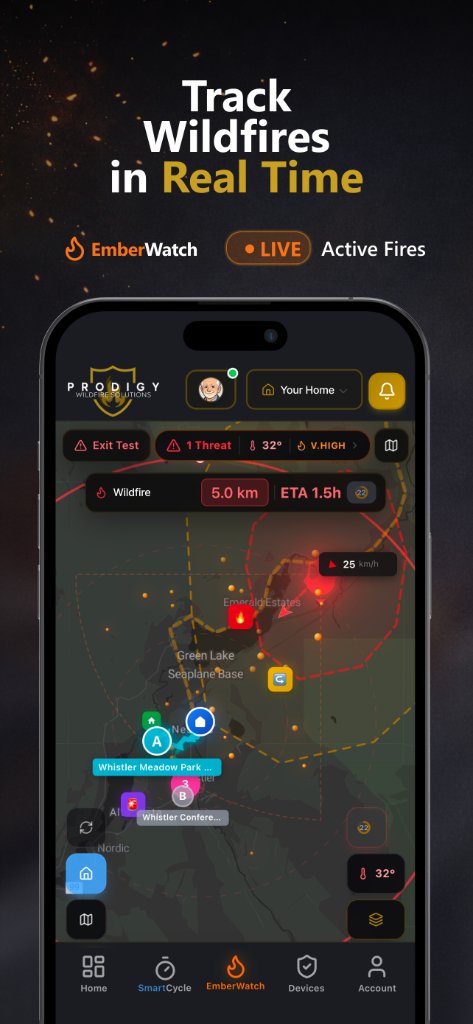
Illustrative journey only. Incident timing, notifications and system response vary by source, connectivity, configuration and site conditions. Follow official emergency instructions.
03 / Phone to property
The interface is not
the protection.
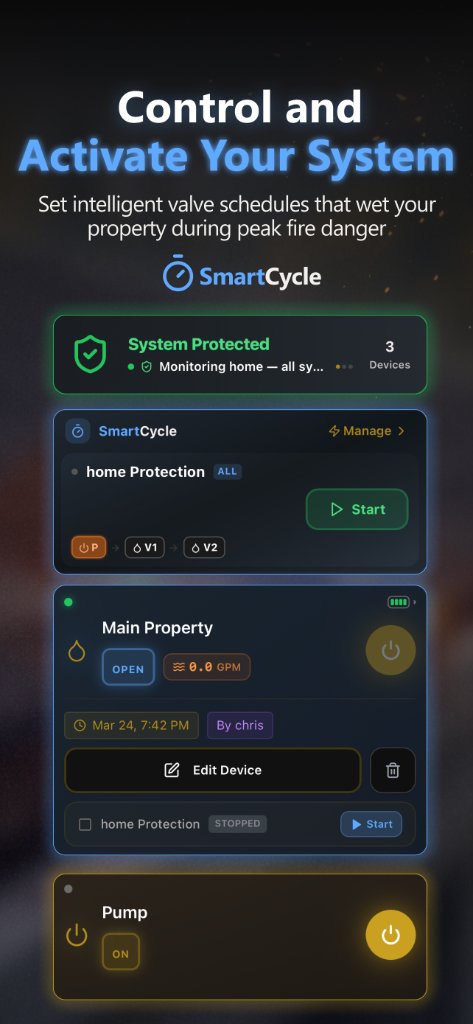
The app makes the installed system visible and reachable. The infrastructure at the property is what moves the water.
04 / Hands on
Explore the
working interface.
The real interactive product demo loads only when it approaches the viewport on desktop, and only after a tap on touch devices.
This is the real app. Try it.
Not a video — a working instance of the Prodigy app. Open the EmberWatch map, inspect a fire, activate zones, and browse SmartCycle exactly as a customer would.
- Scroll the dashboard and live fire map
- Tap a fire for distance, size & containment
- Run a system activation from the controls